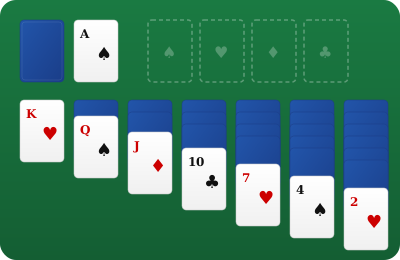
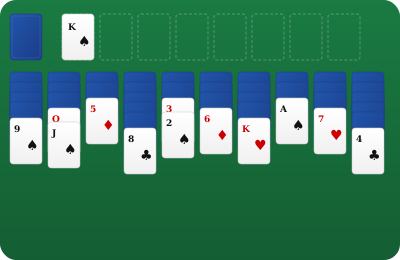
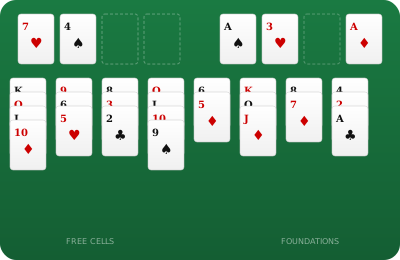
The goal is simple: move all 52 cards onto the four Foundation piles, one per suit, built up in order from Ace to King.
Klondike is the world's most recognised patience card game — the one that shipped with every copy of Windows for decades and introduced millions of people to solitaire. Its name comes from the Klondike region of Canada, though the game itself likely predates the Gold Rush era. Today it remains the definitive single-player card game, equally at home on a felt tabletop or a touchscreen.
The game opens with seven Tableau columns. Column 1 has one card face-up; column 2 has one face-down and one face-up; and so on up to column 7. The remaining 24 cards sit face-down in the Stock pile. Four empty Foundation piles wait in the top-right corner, one for each suit.
Move every card to the Foundations. Each Foundation pile starts with an Ace and is built up in the same suit — Ace, 2, 3 … Queen, King. Fill all four piles and you win.
Drag a face-up card (or a stack of face-up cards) onto another Tableau column. The card you place must be one rank lower and the opposite colour to the card it lands on — for example, a red 7 on a black 8. Only a King (or a stack led by a King) may be placed on an empty Tableau column.
Click the Stock pile to flip the top card face-up onto the Waste pile. You can play the top Waste card at any time. When the Stock runs out, click it again to recycle the Waste back into the Stock (a score penalty applies).
Drag an eligible card to a Foundation pile, or double-click it to send it there automatically. Use the Auto-Move button in the header to move every currently eligible card to the Foundations in one action.
Click the Undo button (or press Ctrl+Z / Cmd+Z) to reverse your last action. You can undo all the way back to the opening deal.
| Key | Action |
|---|---|
| ← → ↑ ↓ Arrow keys | Move the keyboard cursor between piles |
| Space | Select the card(s) at the cursor, or confirm a move to the highlighted target |
| Escape | Cancel the current selection |
| F2 | Start a new game |
| Ctrl+Z / Cmd+Z | Undo the last action |
| A | Auto-move all eligible cards to the Foundations |